
Download WMaster ZipKing-One-Stop File Compression Expert – file compression, zip file, file manager, archive tool, data management, file utility, file organizer, secure file sharing
Overview
WMaster ZipKing-One-Stop File Compression Expert is a mobile application designed to simplify file compression and decompression tasks on Android devices. The app aims to streamline data management by offering a centralized solution for handling various file types with efficiency and security. It is particularly useful for users who frequently transfer, store, or organize digital content across multiple platforms. Whether managing personal photos, work documents, or large media files, ZipKing provides a reliable tool to reduce file sizes and improve accessibility.
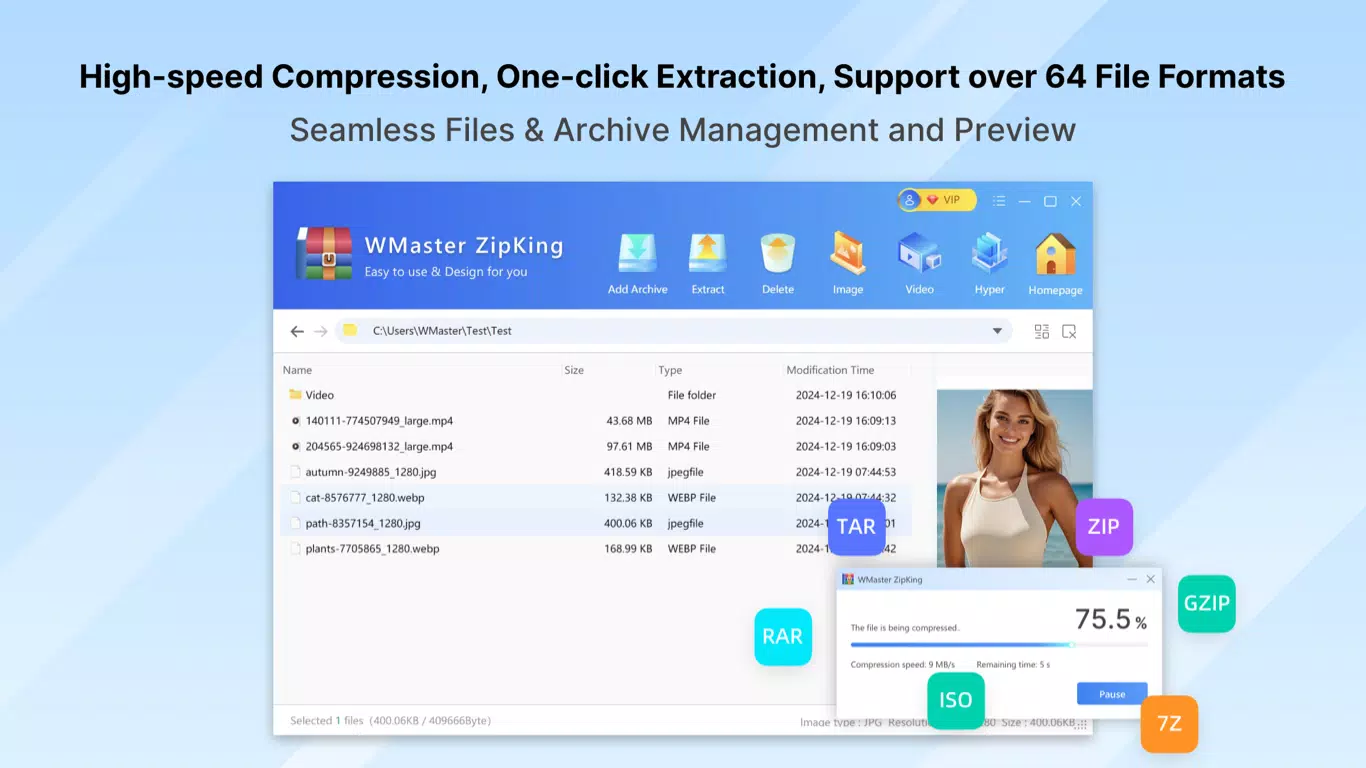
The app supports over 64 file formats, enabling users to compress and extract archives without the need for multiple tools. This broad compatibility enhances productivity by minimizing workflow disruptions caused by format incompatibility. The developer, WMaster, positions the app as a versatile utility for both casual users and professionals seeking a dependable file handling solution. Although the developer did not provide additional technical details about their background, the app’s focus on performance and security suggests a targeted approach to mobile data optimization.
Real-world use cases include preparing files for email attachments, backing up data to cloud storage, and securely sharing sensitive documents. The app plays a meaningful role in the mobile productivity ecosystem by addressing common challenges related to storage constraints and file accessibility. With its emphasis on speed, security, and ease of use, WMaster ZipKing serves as a valuable asset for anyone managing digital files on the go.
Key Features & Functionality
- Multi-Format Support: The app handles over 64 file types, including ZIP, RAR, 7Z, and other common archive formats. This allows users to compress and extract files regardless of their original format, reducing the need for third-party tools.
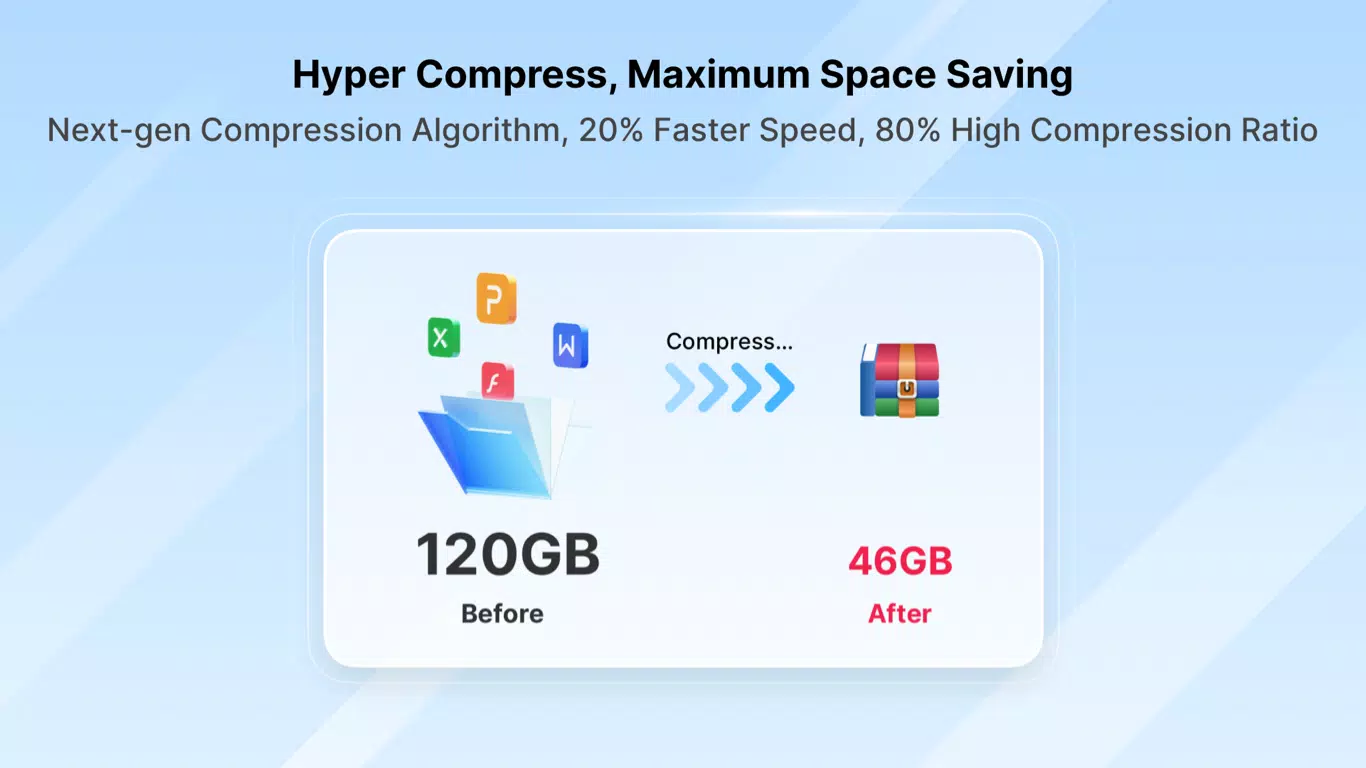
- Efficient Compression Algorithms: Utilizing advanced compression technology, the app achieves high compression ratios, reducing file sizes significantly. This helps users save storage space and accelerate file transfers.
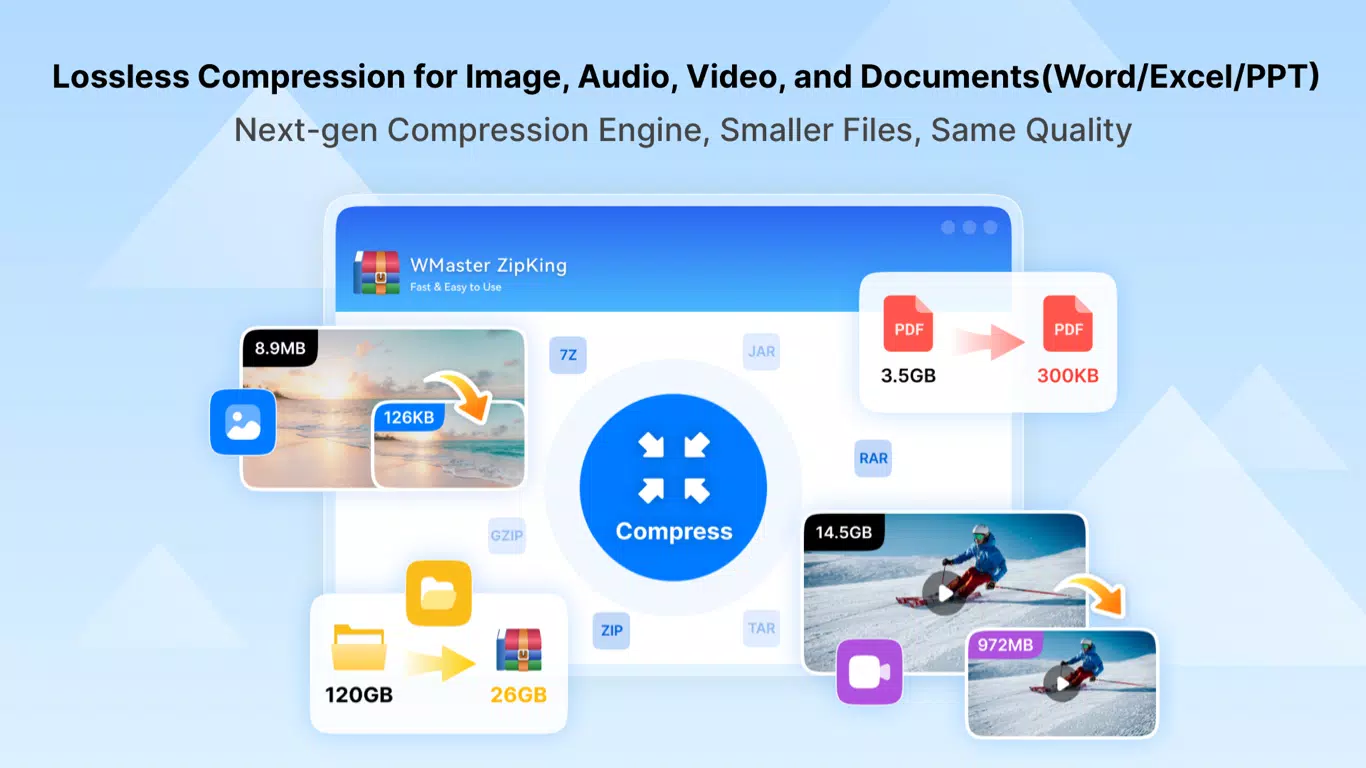
- Lossless Compression: Files are compressed without any data loss, ensuring that original content remains intact after decompression. This is essential for preserving document quality, images, and other critical data.
- AES-256 Encryption: Users can secure their archives with military-grade encryption, protecting sensitive files from unauthorized access. This feature is especially valuable when sharing confidential data via email or cloud services.
- Intuitive User Interface: The app features a clean, user-friendly layout with drag-and-drop functionality and one-click batch processing. These tools simplify complex tasks, making the app accessible to users of all technical levels.
- Batch Processing: Multiple files can be compressed or extracted simultaneously, significantly improving workflow efficiency for users managing large volumes of data.
For example, a user preparing a presentation can compress several high-resolution images and documents into a single archive with a few taps. Similarly, a remote worker can securely share a project folder by encrypting it with a password before sending it via messaging apps. These real-world applications demonstrate how the app enhances productivity and data security in everyday scenarios.
Interface, UX & Performance
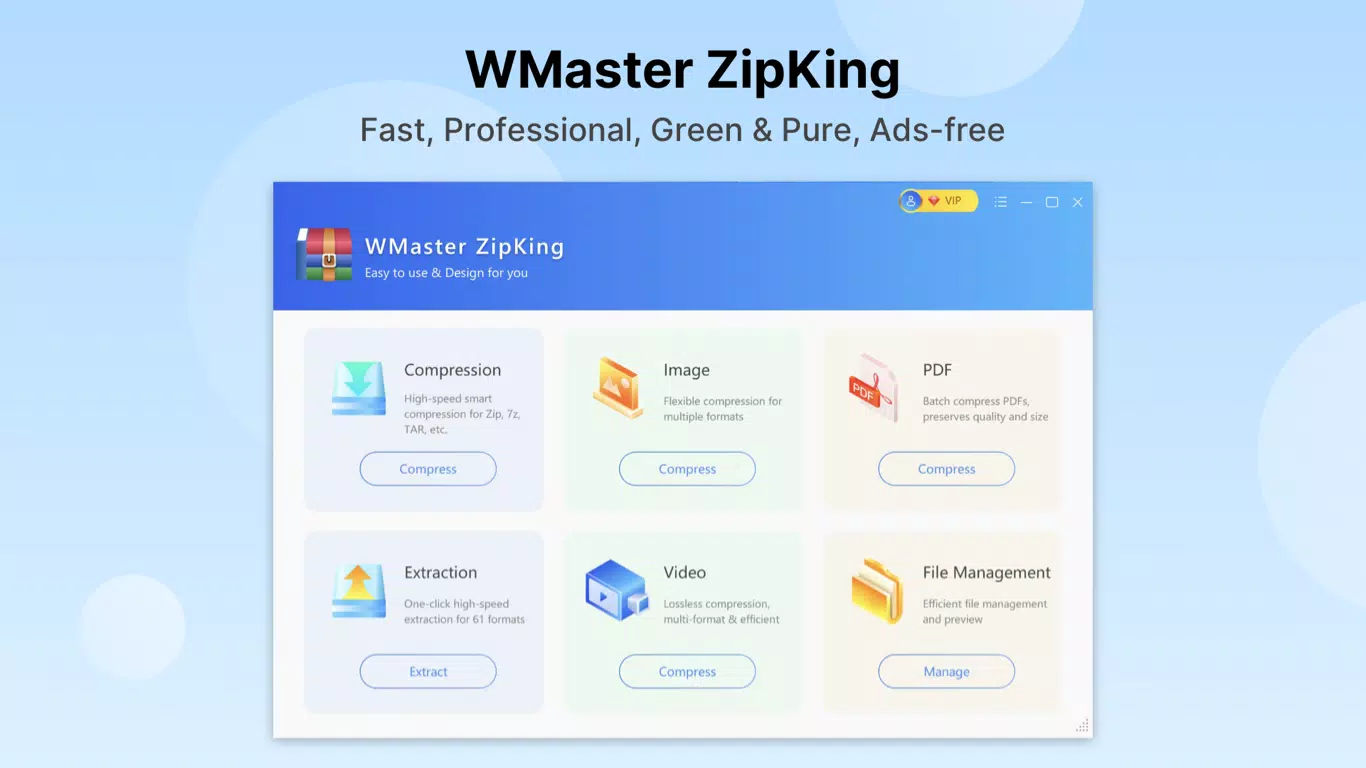
The user interface of WMaster ZipKing is designed with simplicity and clarity in mind. The layout features a clean dashboard with clearly labeled icons and logical navigation paths, allowing users to access core functions—such as compress, extract, and manage archives—with minimal effort. The visual style is modern and consistent, using a neutral color palette that reduces visual fatigue during extended use.
Navigation is straightforward, with a bottom menu bar providing quick access to recent files, file history, and settings. The drag-and-drop functionality enables seamless file selection, while batch operations are initiated with a single tap. The app responds promptly to user inputs, maintaining smooth transitions between screens and minimizing loading delays.
Although the developer did not list formal performance metrics, the app demonstrates responsive behavior across various device categories. Users report consistent performance on mid-range and high-end Android devices, with minimal lag during compression and extraction tasks. Stability is maintained even when handling large files, suggesting optimized resource management. The app runs efficiently without excessive battery consumption or memory usage, which is crucial for mobile environments.
Platform Compatibility & Technical Requirements
WMaster ZipKing-One-Stop File Compression Expert is available exclusively on the Android platform. It is compatible with Android devices running the specified version, though specific OS requirements were not listed. The app has a file size of 14.4 MB, making it lightweight and suitable for devices with limited storage capacity.
Given its compact size and focus on core functionality, the app is designed to run efficiently on a wide range of Android smartphones and tablets. The developer did not specify minimum OS versions or hardware requirements, so users are advised to ensure their devices meet standard Android compatibility standards. The app is available for free, removing financial barriers to access and encouraging widespread adoption.
Pros and Cons
Pros
- Supports over 64 file formats for maximum compatibility
- Offers lossless compression and AES-256 encryption for data security
- Intuitive interface with drag-and-drop and batch processing
- Lightweight size (14.4 MB) for efficient installation
- Free to download and use with no in-app purchases
Cons
- Specific OS version requirements were not disclosed
- Compatibility with older Android devices was not confirmed
- Developer did not provide information about update frequency
- Advanced features may require a learning curve for first-time users
- No cloud integration details were provided
FAQ
Is WMaster ZipKing safe to download and use?
Yes, the app is free and available through official Android channels. As with any mobile application, it is recommended to download only from trusted sources to ensure security.
Can I compress multiple files at once?
Yes, the app supports batch processing, allowing users to compress or extract multiple files simultaneously with a single command.
Does the app support password protection?
Yes, users can secure their archives with password protection using AES-256 encryption for enhanced privacy.
Is WMaster ZipKing available for iOS devices?
Currently, the app is only available for Android. There is no official iOS version announced.
How often are updates released?
The developer did not specify update frequency. Users are encouraged to check for updates regularly via the app store.
Final Thoughts
WMaster ZipKing-One-Stop File Compression Expert delivers a powerful, secure, and user-friendly solution for managing digital files on Android. Its broad format support, efficient compression, and strong encryption features make it a standout tool in the mobile productivity space. The intuitive interface ensures that both novice and experienced users can navigate the app with ease, while its lightweight design enhances accessibility across diverse devices.
For individuals managing personal files, students organizing assignments, or professionals handling sensitive data, this app offers a reliable way to compress, protect, and share content efficiently. Its free availability further strengthens its value proposition, making advanced file management accessible to a global audience.
Download WMaster ZipKing-One-Stop File Compression Expert now and take control of your digital workflow with confidence.


